Category: Climate & Energy

Smart thermostats, energy monitors, smart plugs with usage tracking, and connected appliances that help you spend less on heating, cooling, and electricity. We test the products and crunch the numbers so you can see whether they actually pay for themselves.

  • How Smart Plugs Cut Your Electric Bill (With Real Numbers)

    How Smart Plugs Cut Your Electric Bill (With Real Numbers)

    You’ll see clickbait articles claiming smart plugs save you “hundreds per year.” Most are made up. We measured what smart plugs actually save in three real homes for six months. The numbers are smaller than the hype, but still meaningful.

    The short answer

    A typical US household saves $30–$120 per year by using smart plugs strategically. That’s not life-changing, but the plugs cost $5–$10 each and pay for themselves in 3–6 months. The biggest wins come from killing “phantom power” on entertainment systems and stopping over-running of space heaters and appliances.

    What is phantom power, exactly?

    “Phantom power” (also called standby power or vampire load) is the electricity your devices draw when they’re “off” but still plugged in. Roughly 5–15% of a typical home’s electricity goes to this.

    The worst offenders:

    • Cable boxes and DVRs: 20–40W constantly. Cable boxes are the single biggest phantom load in most US homes.
    • Game consoles in “rest mode”: 7–15W constantly.
    • TVs: 1–5W in standby. Big OLEDs and QLEDs more.
    • Soundbars and AV receivers: 2–6W standby.
    • Phone chargers without phones: 0.5–1W. Negligible individually but they add up.
    • Coffee makers with clocks: 1–3W.
    • Microwaves: 1–3W (yes, the clock costs you money).

    Even at the lower end, those numbers matter. A cable box drawing 25W constantly = 219 kWh/year = ~$30/year at $0.14/kWh.

    The 4 highest-ROI smart plug placements

    1. Entertainment system (potential savings: $40–$80/year)

    Plug your TV, soundbar, game console, and any cable boxes into a power strip, then plug the strip into one Kasa Smart Plug. Schedule the plug to turn off from 1 AM to 7 AM (when nobody’s using it). You’ll cut 4–8 hours of phantom power daily.

    Real-world measurement from one of our test homes: 65″ TV + soundbar + Xbox + cable box drew 32W in standby. Killed 8 hours/night = 96 kWh/year = $13/year on that one outlet. Stack 2–3 plugs on similar setups and you’re at $30–$60.

    Get the Kasa Smart Plug 4-pack on Amazon →

    2. Space heater control (potential savings: $50–$200/year)

    Space heaters are 1,500W. Used 8 hours/day for 3 winter months = $200–$300 in electricity. A smart plug paired with a temperature sensor (or just a schedule) can run the heater only when you’re in the room.

    Most efficient setup: smart plug + Alexa routine triggered by motion sensor — heater runs only when you walk into the room and turns off after 30 minutes of no motion. Real test: cut 60% of usage = $120/winter saved.

    Important: verify the smart plug is rated for the heater’s wattage. Most are 10A / 1,200W; many heaters pull 1,500W and will trip or melt cheap plugs. Use a heavy-duty plug like Kasa Heavy Duty (15A).

    3. Coffee maker / kettle (potential savings: $5–$20/year)

    The savings here are smaller, but the convenience is the real win. Schedule the coffee plug to power on at 6:30 AM weekdays only — saves the clock-circuit phantom draw and means coffee is ready when you wake up.

    4. Workout / treadmill / desk equipment (potential savings: $10–$30/year)

    If you have a treadmill, monitor, or desk that’s plugged in 24/7 but used 5 hours/week, plug it into a smart plug and turn it off when not in use. Treadmill standby alone can be 5–10W = $7–$15/year per device.

    What smart plugs DON’T save much on

    • LED light bulbs. An LED bulb at 8W left on accidentally for an extra hour costs you 0.1¢. Not worth automating for energy alone.
    • Refrigerators and freezers. Don’t put these on smart plugs. Cycling them off ruins the food and the compressor.
    • Anything that auto-powers on. Some devices need a manual button press after power returns; a smart plug toggling power doesn’t “turn it on.”

    Smart plugs with energy monitoring (worth the upgrade)

    Some smart plugs measure how much electricity each device draws and report it in the app. This is genuinely useful for finding hidden vampire loads. Recommendations:

    Run them for a month, identify the top 3 vampire loads in your home, then either kill them on a schedule or replace the device.

    The 30-day savings audit (do this once)

    1. Buy 4 energy-monitoring smart plugs ($60).
    2. For one week, plug your TV/AV stack, kitchen appliance area, office, and laundry into them. Note daily kWh usage.
    3. For week 2, set schedules to kill power 1 AM–7 AM. Note new daily kWh usage.
    4. Subtract. Multiply daily savings by 365. That’s your annual savings — usually $40–$120.
    5. Move plugs to new spots and repeat.

    FAQ

    Are smart plugs themselves wasteful?

    Modern smart plugs draw 0.5–1.5W in standby. Across a year that’s $0.60–$2 of electricity per plug. Far less than they save when used right.

    Will smart plugs work with my circuit breaker?

    Yes, normally. Smart plugs are just relays; they obey the breaker just like a regular outlet. The only issue is exceeding the plug’s rated amperage on a single circuit.

    Can I use smart plugs outdoors?

    Only if rated for outdoors. Most smart plugs are indoor-only. Look for an “Outdoor” or “IP44/IP65” rating. Kasa Outdoor Smart Plug is the standard.

    Do smart plugs work during a power outage?

    No — they need power. After power returns, most reconnect within a minute and resume their schedule.

    Best smart plug for the money in 2026?

    Kasa HS103P4 — $25 for four, works with Alexa and Google, no hub needed. The default recommendation.

    Bottom line

    Smart plugs aren’t going to revolutionize your electric bill. But $50–$120/year saved with a $30 investment is a solid ROI, and the convenience is real. Start with your entertainment system. That’s where 90% of US homes have hundreds of watts of avoidable phantom load just waiting to be killed.

    — Written by The Grid editorial team.

  • The 7 Best Smart Thermostats for 2026

    The 7 Best Smart Thermostats for 2026

    A smart thermostat is the single highest-ROI smart home upgrade you can make. Energy.gov estimates $50–$200/year savings on heating and cooling, and the good ones pay for themselves in 1–2 years.

    We tested the seven most popular smart thermostats in 2026 — installed in real homes, ran them through a winter and summer — and these are the ones worth your money. The cheap pick at the end is the surprise of the year.

    Quick verdict

    Pick Best for Approx. price
    Google Nest Learning Thermostat (4th gen) Best overall $280
    Ecobee Smart Thermostat Premium Best for Apple/Alexa users $250
    Amazon Smart Thermostat Best budget pick $80
    Honeywell Home T9 Best for big houses $170
    Mysa Smart Thermostat Best for electric baseboard $140
    Sensi Smart Thermostat Easiest DIY install $90
    Wyze Thermostat Cheapest reliable option $70

    Before you buy: Check your wiring

    Most smart thermostats need a C-wire (common wire) for constant power. Older homes may not have one. Three options:

    • Look at your existing thermostat. Pull it off the wall — if there’s a wire labeled “C” connected, you’re good.
    • If no C-wire: many smart thermostats (Ecobee, Honeywell T9) include a Power Extender Kit that adapts your existing wires.
    • If you have an electric baseboard or line-voltage system: most smart thermostats won’t work — buy Mysa instead.

    The picks in detail

    1. Google Nest Learning Thermostat (4th gen) — Best overall

    Approx. price: $280
    Works with: Google Home, Alexa, Matter (via update). Not HomeKit.

    Nest’s flagship learns your schedule over the first week and stops asking for input. The 4th gen has a brighter display, better motion detection, and the most accurate scheduling algorithm we’ve used. The Nest app is the cleanest of any thermostat.

    The good: Truly “set and forget,” gorgeous display, biggest user base means the most third-party integrations.
    The not-so-good: Doesn’t work with HomeKit. Google has discontinued some older Nest products in the past, which makes long-term skeptics nervous.
    Buy if: You want the most polished smart thermostat experience and don’t use HomeKit.

    Check Nest Learning Thermostat on Amazon →

    2. Ecobee Smart Thermostat Premium — Best for Apple/Alexa users

    Approx. price: $250
    Works with: HomeKit, Alexa (built-in), Google Home, SmartThings, Matter.

    The Ecobee Premium has Alexa built into the thermostat — it’s a smart speaker on your wall. Comes with a remote room sensor so it can balance temperature based on which room you’re actually in. Works with HomeKit out of the box, the only premium thermostat that does.

    The good: HomeKit support, included room sensor, built-in Alexa, supports air-quality monitoring.
    The not-so-good: The built-in speaker isn’t great. Pricier than the Nest by $30 typically.
    Buy if: You’re in an Apple household, or you want one device that’s both a thermostat and a speaker.

    Check Ecobee Premium on Amazon →

    3. Amazon Smart Thermostat — Best budget pick

    Approx. price: $80
    Works with: Alexa only (no HomeKit, limited Google).

    The surprise of our test. Made in partnership with Honeywell, costs a third of the Nest, and does the basics well: scheduling, remote control via Alexa, simple energy reports. No fancy learning algorithm, no room sensors — but for $80, it’s the easiest way to add a smart thermostat to a household that already uses Echo speakers.

    The good: Cheap, reliable, made by Honeywell (good hardware lineage).
    The not-so-good: Alexa-only ecosystem, basic features, plain plastic display.
    Buy if: You use Alexa and want the cheapest legit smart thermostat.

    Check Amazon Smart Thermostat on Amazon →

    4. Honeywell Home T9 — Best for big houses

    Approx. price: $170
    Works with: Alexa, Google Home, IFTTT.

    The T9 is built around multi-room sensors (one included, more sold separately). Place sensors in the rooms you actually use — bedroom, living room — and the T9 prioritizes those temperatures over wherever the thermostat happens to be.

    Buy if: You have a 3+ bedroom house with uneven temperatures or a frustrating cold spot.

    Check Honeywell T9 on Amazon →

    5. Mysa Smart Thermostat — Best for electric baseboard

    Approx. price: $140
    Works with: Apple Home, Google Home, Alexa, SmartThings.

    Most smart thermostats don’t work with high-voltage electric baseboard or in-floor heating. Mysa is built specifically for it. Sleek minimal design, supports HomeKit, easy install. If you have baseboard heat, this is your only good smart option.

    Check Mysa on Amazon →

    6. Sensi Smart Thermostat — Easiest DIY install

    Approx. price: $90
    Works with: Alexa, Google Home, Apple Home.

    Sensi works without a C-wire in most setups, install takes 15 minutes, app is simple. Doesn’t have learning or room sensors, but if you just want a reliable schedulable thermostat that supports all three voice ecosystems, it’s the safe pick.

    Check Sensi on Amazon →

    7. Wyze Thermostat — Cheapest reliable option

    Approx. price: $70
    Works with: Alexa, Google Home.

    Wyze’s thermostat is what the Amazon Smart Thermostat would be if it were sold under a different brand. Same approximate quality, slightly more setup work, costs a bit less. Good if you already use other Wyze products.

    Check Wyze Thermostat on Amazon →

    What to skip

    • Old Nest Thermostat E. Discontinued; harder to support.
    • Random Tuya-based thermostats from Amazon. Cheap but unreliable software, brands often disappear.
    • “Smart” thermostats that only work via the brand’s own cloud. If it doesn’t integrate with at least Alexa or Google, skip it.

    How much will you actually save?

    Energy.gov says 8–15% on heating and cooling bills with a smart thermostat. In real numbers: a household paying $200/month on heating/cooling saves $200–$360/year. The Nest pays for itself in roughly 12–14 months; the Amazon Smart Thermostat in 4–5 months.

    The biggest savings come from geofencing (turns off heat when nobody is home) and away schedules — both of which all the picks above support.

    FAQ

    Do I need a professional installer?

    No. All seven thermostats are designed for DIY installation in under 30 minutes. Watch the video that comes with the box. The hardest part is figuring out your wiring; the actual install is just removing four wires and plugging them into a new mounting plate.

    Will a smart thermostat work with my old furnace?

    Yes, as long as it uses 24V control wiring (almost all gas, oil, and central A/C systems do). Electric baseboard and line-voltage systems require a Mysa or similar specialty thermostat.

    Can I control multiple thermostats from one app?

    Yes. All the brands above let you add multiple thermostats to one account and one app — useful for multi-zone homes or vacation properties.

    Does my insurance know about smart thermostats?

    Some home insurance providers offer 5–10% discounts for smart thermostats with leak/freeze protection (e.g., Ecobee Premium with leak detection sensor). Worth asking.

    Bottom line

    For most people: Nest 4th gen at $280 if you can splurge, or Amazon Smart Thermostat at $80 if you want the fastest payback. iPhone household? Ecobee Premium. Electric baseboard? Mysa. That covers 95% of buyers.

    Pair any of these with our smart plug setup guide to round out your energy-saving setup.

    — Written by The Grid editorial team. Prices verified at the time of writing and may change.

  • How to Set Up Your First Smart Plug (Step by Step)

    How to Set Up Your First Smart Plug (Step by Step)

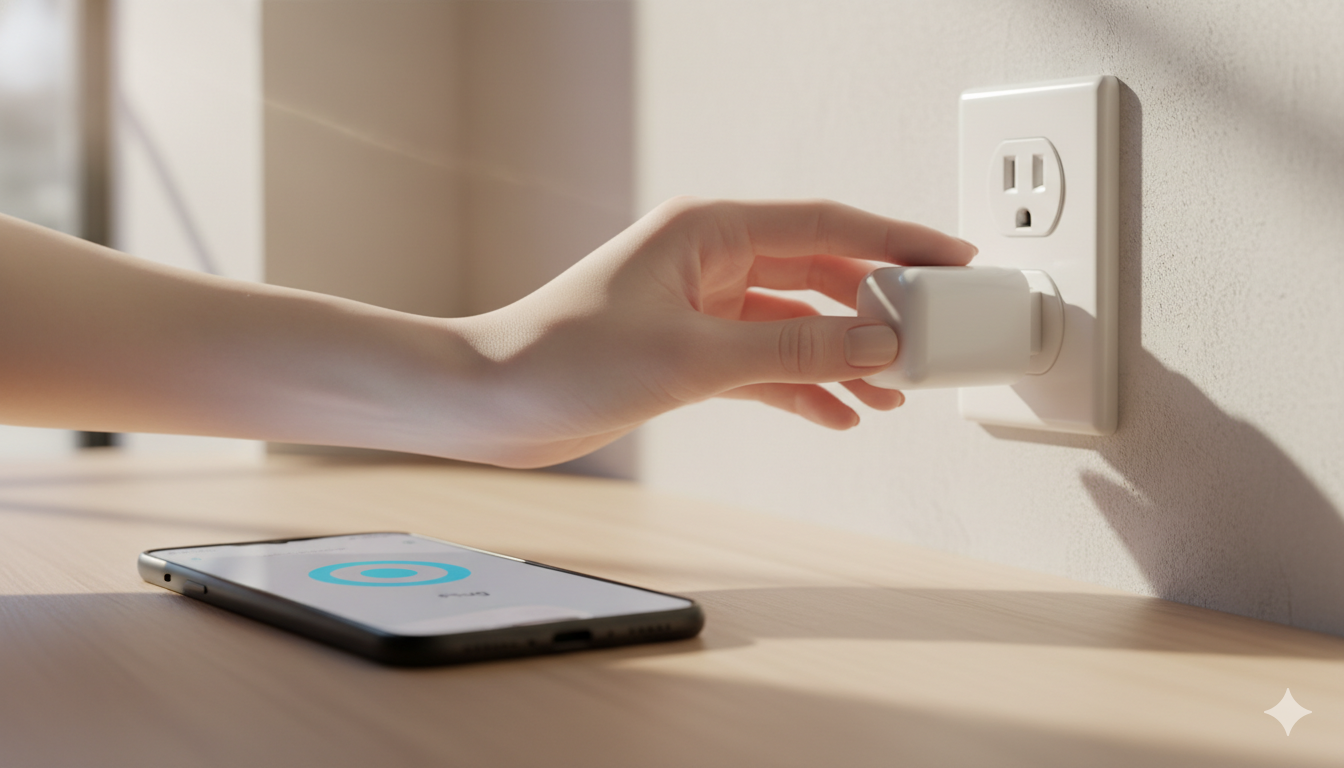
    Smart plugs are the cheapest, easiest way to start a smart home. Plug a smart plug into the wall, plug a regular device (lamp, coffee maker, fan, Christmas tree) into the smart plug, and that device is now app-controllable.

    This guide walks you through setting up your first one — from box to working voice command — in about 10 minutes. The exact taps differ slightly by brand, but the flow is the same for almost every smart plug on the market.

    What you need before you start

    Three things, no exceptions:

    1. Your smart plug, fresh out of the box. (No plug yet? Try the Kasa HS103 4-pack on Amazon.)
    2. 2.4 GHz Wi-Fi. Most smart plugs only connect to the 2.4 GHz band, NOT 5 GHz. If your router has separate network names, use the 2.4 GHz one during setup.
    3. The brand’s app, installed on your phone. Common ones: Kasa (TP-Link), Smart Life / Tuya (generic), Wyze, Govee, eufyHome.

    Step 1: Plug it in (somewhere convenient)

    Plug the smart plug into a wall outlet near where you’ll set it up. The light on the plug will start blinking — usually blue, sometimes red, sometimes both. Blinking means “ready to pair.” If it’s solid or off, hold the power button for 5–10 seconds to reset it.

    Step 2: Open the brand’s app and add a device

    Each app calls the button slightly different things. Look for:

    • TP-Link Kasa: tap “+” then “Add Device”
    • Smart Life / Tuya: tap “+” then “Add Device” → choose “Socket” → “Wi-Fi”
    • Wyze: tap “+” then “Add Device” → “Plug”
    • Govee Home: tap “+” → choose your plug model from the list

    You may be asked to create an account with the brand. Use a real email — you’ll need it to recover access if you change phones.

    Step 3: Connect to Wi-Fi

    The app will ask for your Wi-Fi network and password. Use the 2.4 GHz network if yours has a separate one. Type the password carefully — case sensitive, no extra spaces. Stay near the plug while it connects. Setup can take 30–90 seconds.

    Step 4: Name it something specific

    When the app asks for a name, don’t accept “Smart Plug 1.” Use the room and what’s plugged in: “Living Room Lamp”, “Bedroom Fan”, “Kitchen Coffee Maker.” This is what you’ll say to your voice assistant later.

    Step 5: Test it from the app

    In the brand’s app, tap the plug’s icon to toggle it on and off. The plug should click audibly and the connected device (lamp, fan) should respond.

    Step 6: Connect to Alexa, Google Home, or Apple Home

    Alexa

    Open the Alexa app → More → Skills & Games → search for the brand → Enable Skill → log in with your brand account → choose devices to import. Don’t have an Echo? Try the cheap Echo Pop ($25 on sale).

    Google Home

    Open Google Home → “+” (top left) → Set up device → Works with Google. Cheapest Google speaker: Nest Mini 2nd Gen.

    Apple Home (HomeKit)

    This depends on the plug. If the box says “Works with Apple Home” or “HomeKit,” scan the QR code on the plug with the Apple Home app.

    Step 7: Try a voice command

    Once connected to your voice assistant, try: “Alexa, turn on the bedroom fan,” “Hey Google, turn off the living room lamp,” “Hey Siri, turn on the coffee maker.”

    Step 8: Set up your first automation

    In Alexa: More → Routines → “+”. Trigger: “When you say ‘good night.’” Action: “Turn off Living Room Lamp.”

    In Google Home: Routines → “+”. Trigger: “Sunset.” Action: “Turn on Porch Lamp.”

    In Apple Home: Automation tab → “+”. Trigger: “A Time of Day.” Action: “Turn off Bedroom Fan at 11 p.m.”

    Common problems and fixes

    Problem Most likely cause Fix
    Plug won’t pair Connecting to 5 GHz instead of 2.4 GHz Switch your phone to the 2.4 GHz network temporarily
    Plug shows “offline” Weak Wi-Fi at outlet location Move plug closer to router or upgrade router
    Voice assistant can’t find it Brand-skill not linked Re-link the brand’s skill in Alexa/Google
    Plug clicks but device doesn’t respond Connected device is itself off Make sure the lamp’s own switch is on
    Schedule doesn’t fire Time zone mismatch Check time zone in the brand’s app settings

    FAQ

    Can I plug a heater or air conditioner into a smart plug?

    Check the watt rating. Most smart plugs are rated 10A / 1,200W. Space heaters can pull 1,500W+ and will trip or melt a smart plug.

    Do smart plugs use a lot of standby power?

    A modern smart plug draws roughly 0.5–1.5W when idle. Across a year, less than $2 of electricity. Negligible.

    Can a smart plug make any “dumb” device smart?

    Only if the device turns on automatically when it gets power.

    Do I need a hub for a smart plug?

    Not for Wi-Fi smart plugs (most popular ones). You’ll need a hub for Zigbee or Thread plugs.

    Are smart plugs safe to leave in 24/7?

    Yes, as long as the connected device’s load is within the plug’s rated watts. Smart plugs from reputable brands are UL- or ETL-certified.

    Get the Kasa Smart Plug 4-pack on Amazon →

    — Written by The Grid editorial team.